


Tapas – Comics and Novels
4.214.09K Reviews
App Specs
- Version
- 7.12.0
- Updated On
- License
- Free
- Downloads
- 10,000,000+
- Developer
- Tapas Entertainment Inc.
- Categories
- Comics
- Platform
- Android, iOS
Screenshots

 Analysis by AppCompare
If you're a fan of digital comics and novels, Tapas – Comics and Novels might just be your new best friend. Imagine having a library of diverse stories right at your fingertips! I dove into this app to see what all the buzz is about, and here's what I discovered.
Where Tapas fits into a reading routine
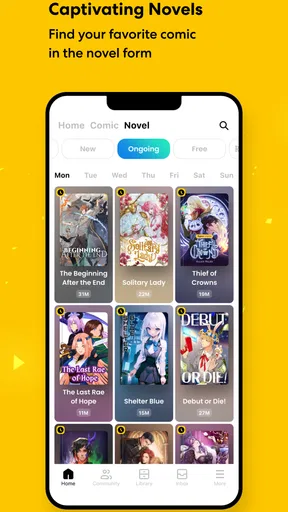
I find Tapas most useful when I want a story in small, self-contained stretches rather than a long book session. A comic episode can suit a short break, while a webnovel gives me a different kind of reading when I have a little more time. That mix is the app’s central appeal: it brings illustrated and text-led serial fiction into one place, so I can switch formats without changing apps.
A realistic way to use it is to browse during a commute, choose one ongoing series, and read a manageable portion before getting off. Saving a place matters in that sort of stop-and-start routine, especially when a story has many episodes. At home, I might use the same account of attention differently: compare a few options, follow the one that holds my interest, and return when a new instalment catches my eye. I would not treat it as a replacement for every kind of reading; it works best when serialized stories are what I’m in the mood for.
The app is free to download and is made by Tapas Entertainment Inc. It is a comics app with webnovels alongside the illustrated stories, and its Teen content rating makes it relevant to younger readers as well as adults, though families should still judge individual stories for themselves. Its average rating is 4.2 from around 123,000 ratings, and it has over 10 million installs. Those figures suggest a substantial audience, but they do not tell me whether a particular series will match my taste; the useful test is still sampling a story and seeing whether its pacing and style work for me.
How it compares with other ways to read
Compared with a conventional ebook reader, Tapas is more oriented toward discovering and following serial fiction than managing a personal shelf of complete books. That can be a plus if I enjoy returning to an unfolding story, but a drawback if I want a finished novel that I can read from beginning to end without waiting for further episodes. Compared with reading comics on a general web browser, a dedicated app keeps browsing, reading, and following creators together, which makes it easier to keep track of work I care about.
There is a trade-off in that convenience. A broad catalogue can make choosing harder than it sounds: a cover or genre label may catch my attention, but it takes a few episodes to learn whether the dialogue, artwork, or rhythm suits me. I try not to follow every promising title immediately. Sampling first and keeping a smaller reading list makes it easier to find ongoing stories again instead of turning the app into a cluttered queue.
Payments, pacing, and reader choice
The coin-based unlocking approach is worth understanding before settling into a series. Some episodes may require coins, and in-app purchases range from $0.99 to $99.99 per item. That does not mean every reader needs to spend: the app also offers ways to earn free coins, including daily check-ins or watching ads, as described in the original experience below. Still, free access can involve patience and attention to how an episode is unlocked. I would decide what I’m comfortable spending before buying coins, rather than making repeated small purchases in the moment simply because I want to continue a cliffhanger.
Worth Reading Before You Choose

Baby Panda World Brings Quick Play to Modern Phones, but Its Game Library Feels Busy

ESPN’s Live Game View Makes Following Close Games Easier

QuizzLand Review: A Good Fit for Short Trivia Breaks, Not Every Player

Basketball Stars: Multiplayer Is Fast, but Can It Recover When Matches Go Wrong?

WEBTOON Turns Phone Updates Into a Better Reading Routine

Link to Windows Runs on Shared Habits, Not Social Feeds
This payment model suits readers who like choosing which stories to support and are happy to read at a slower pace when an episode is locked. It is less appealing if I expect an all-you-can-read subscription or dislike ads and virtual currency. The practical question is not just whether a story costs anything, but whether its update rhythm and unlock requirements fit my habits. If I want a complete story immediately, a finished ebook or a comic volume may be a better match.
Current version and what to look for
The current version is 7.11.1, while the app’s release history begins on October 2, 2012. That long span tells me Tapas is an established reading service, but I would not infer particular feature changes from the version number alone. For an existing reader, the sensible approach is to check the current app experience after updating and see whether the familiar basics—finding a series, continuing an episode, and keeping track of creators—still fit the way they read.
When I’m deciding whether to keep using a reading app, I pay attention to practical details rather than expecting every update to change the experience dramatically. Can I find the stories I care about without repeated searching? Is it easy to tell which series I want to return to? Do coin costs feel clear enough for me to make deliberate choices? Those are the useful things to watch over time. The minimum operating system is 7.0, so compatibility is relevant for anyone using an older device; I would check that before planning to make it a regular reading spot.
Tapas is best for readers who enjoy discovering creator-led comics and novels, following series over time, and taking part in reader conversations. It is not the right fit for someone who wants only completed books, a strictly ad-free experience, or a single predictable subscription price. My recommendation is to start with one or two stories, learn how their episodes are accessed, and then decide whether the mix of discovery, serial pacing, and optional spending feels comfortable.
Exploring the World of Tapas
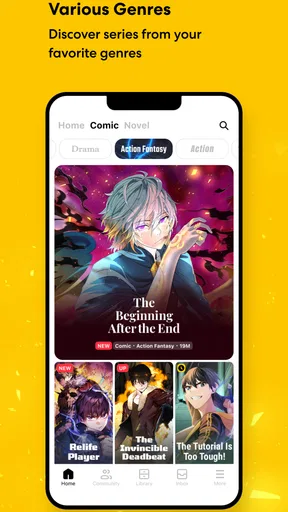
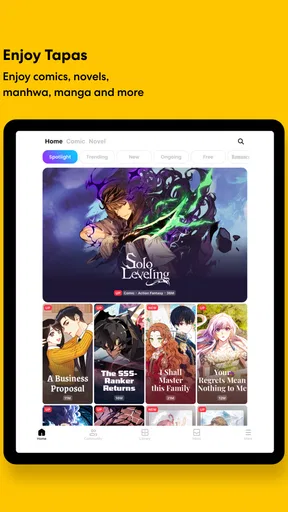
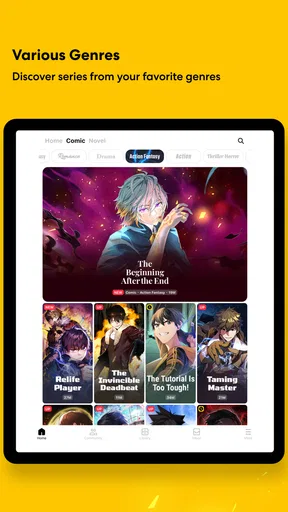
Once you open the Tapas – Comics and Novels app, you're greeted with a sleek and user-friendly interface. It's like stepping into a virtual bookstore that caters to all your storytelling preferences. The app offers a wide variety of genres, from romance and fantasy to horror and drama. Trust me, there's something for everyone here.
One thing that caught my eye was the sheer diversity of content. Whether you're into quick reads or epic sagas, you'll find it all. The app hosts countless stories created by independent creators from around the world, which means you're in for some unique and fresh content.
Features That Stand Out
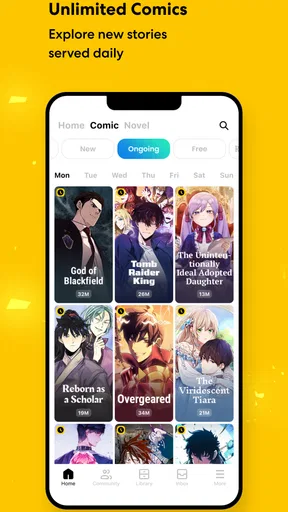
What makes Tapas really shine are its unique features. First off, the accessibility is fantastic. You can easily browse through various categories or use the search function to find exactly what you're looking for. It's like they knew I needed a quick way to find my favorite genres on a lazy Sunday afternoon.
Tapas also offers a coin-based system to unlock episodes. While some might raise an eyebrow at this, I found it to be a neat way to support creators. Plus, you can earn free coins through daily check-ins or watch ads. It's pretty straightforward and doesn’t feel like a hard sell.
One feature I love is the bookmarking option. You can easily save your place and come back to where you left off, which is perfect for those of us who can't finish a story in one sitting. Trust me, this feature can be a lifesaver.
Community and Interaction
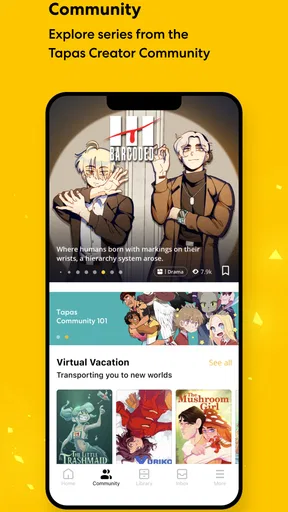
Tapas isn't just about consuming content; it’s about community. The app allows you to interact with creators and other readers. This makes the reading experience more engaging. You can leave comments, give feedback, and even follow your favorite creators to stay updated.
The community vibe is strong here. It's like being part of a massive book club where everyone shares a passion for stories. You might even find recommendations from fellow readers that lead you to hidden gems you would've otherwise missed.
Final Thoughts
Overall, I genuinely enjoyed my time with Tapas. It's a fantastic app for anyone who loves comics and novels. The combination of a user-friendly interface, diverse content, and a strong community makes it a standout choice. Whether you're a casual reader or a hardcore fan, Tapas has something to offer.
So, if you haven't already, give Tapas a try. Dive into the endless stories waiting for you and maybe discover your next favorite series. Happy reading!
Pros
- Wide variety of genres available.
- User-friendly interface for easy navigation.
- Offline reading mode available.
- Daily updates keep content fresh.
- Interactive community features.
Cons
- Some content behind paywalls.
- Ads can be intrusive for free users.
- Limited customization options.
- Requires internet for full features.
- Occasional app crashes reported.
FAQs for Tapas – Comics and Novels
What types of content are available on Tapas?
Tapas offers a wide variety of content, including webcomics, manga, and novels. Users can explore genres such as fantasy, romance, horror, and more. The platform caters to both readers and creators, providing a space for independent artists to publish their works and connect with a global audience.
Is Tapas free to use, and are there any in-app purchases?
Tapas is free to download, and users can access a selection of content without cost. However, there are in-app purchases available, such as the option to buy coins. These coins can unlock premium episodes and support creators. Users can also earn free coins through various in-app activities.
How does Tapas support content creators?
Tapas supports creators by offering a monetization model that allows them to earn revenue through ad impressions and premium content purchases. Creators can connect with their audience and receive support via the platform’s tipping feature, where readers can contribute coins directly to their favorite artists or writers.
Can I access Tapas content offline?
While Tapas primarily requires an internet connection to access its vast library, users can download select comics and novels for offline reading. This feature is particularly useful for readers who want to enjoy their favorite stories without being connected to the internet at all times.
Is there a community or social aspect to Tapas?
Yes, Tapas fosters a vibrant community where users can interact with each other and creators. The platform includes features such as comment sections under each episode, forums, and social media integration. This allows readers to discuss stories, provide feedback, and engage with the content on a deeper level.


